Stock visibility
See quantities on hand, pack sizes, current cost, reorder levels, suppliers, and movement history.
Stock discipline for work that moves
PDRX connects stock, jobs, workers, supplier orders, receiving, and reporting in one hosted system. Every item has a trail. Every job has a live cost.
Track the part
Control the cost
Protect the margin
What PDRX is
PDRX is built for businesses where materials and parts are issued to jobs throughout the day. It replaces loose paper, delayed spreadsheets, and unexplained stock losses with a clear operational record.
See quantities on hand, pack sizes, current cost, reorder levels, suppliers, and movement history.
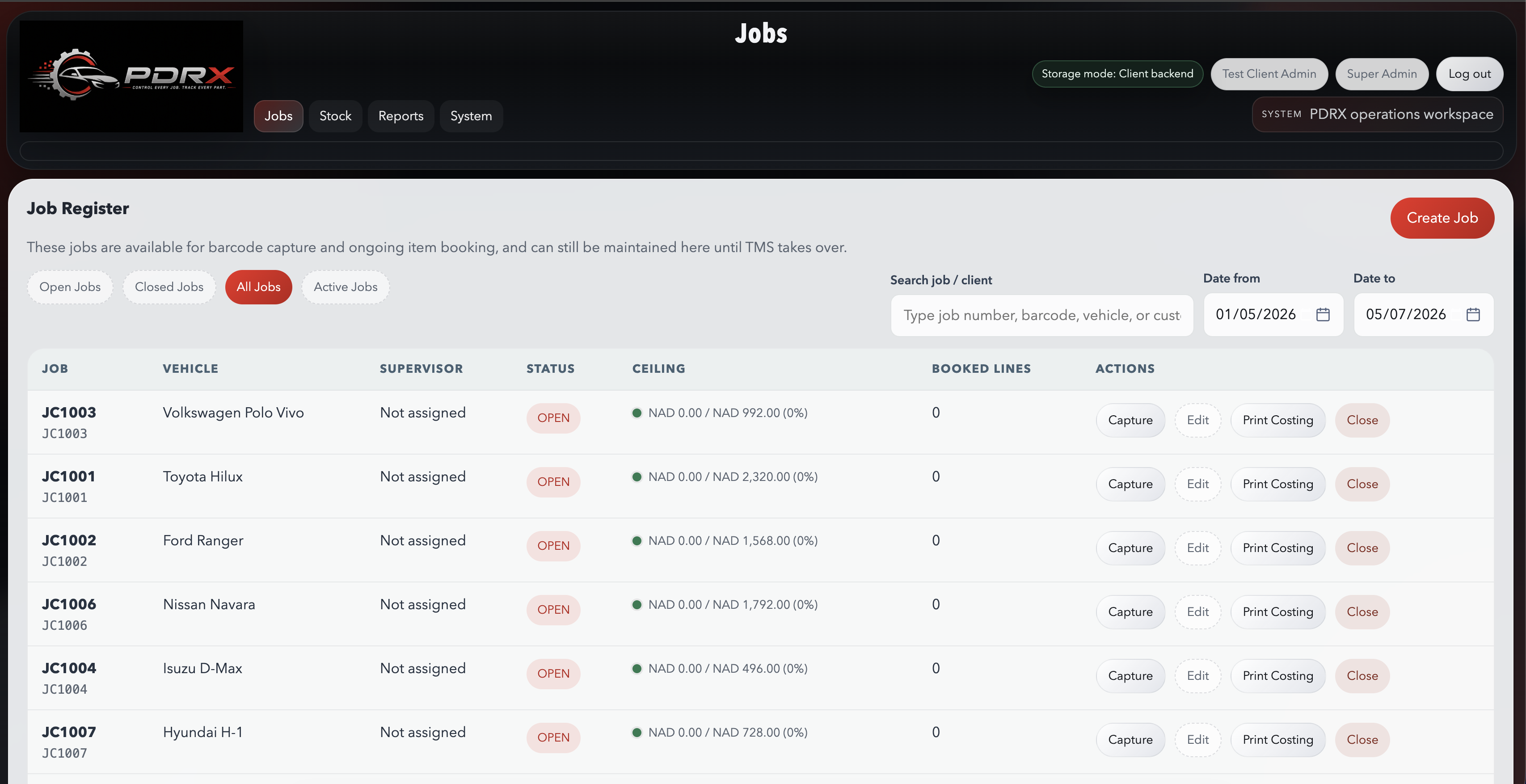
Book each item to a job and worker, then compare accumulated usage against the allowed ceiling.
Create supplier orders, track outstanding packs, receive against invoices, and update cost accurately.
Use movement, job-costing, worker, stocktake, and workshop reports to make decisions from real usage.
How the system works
PDRX follows the real operational sequence. Users do not have to re-enter the same information across disconnected tools.
Load items, units, pack costs, suppliers, and reorder points.
Create jobs in PDRX or sync open jobs from TMS Teamwork.
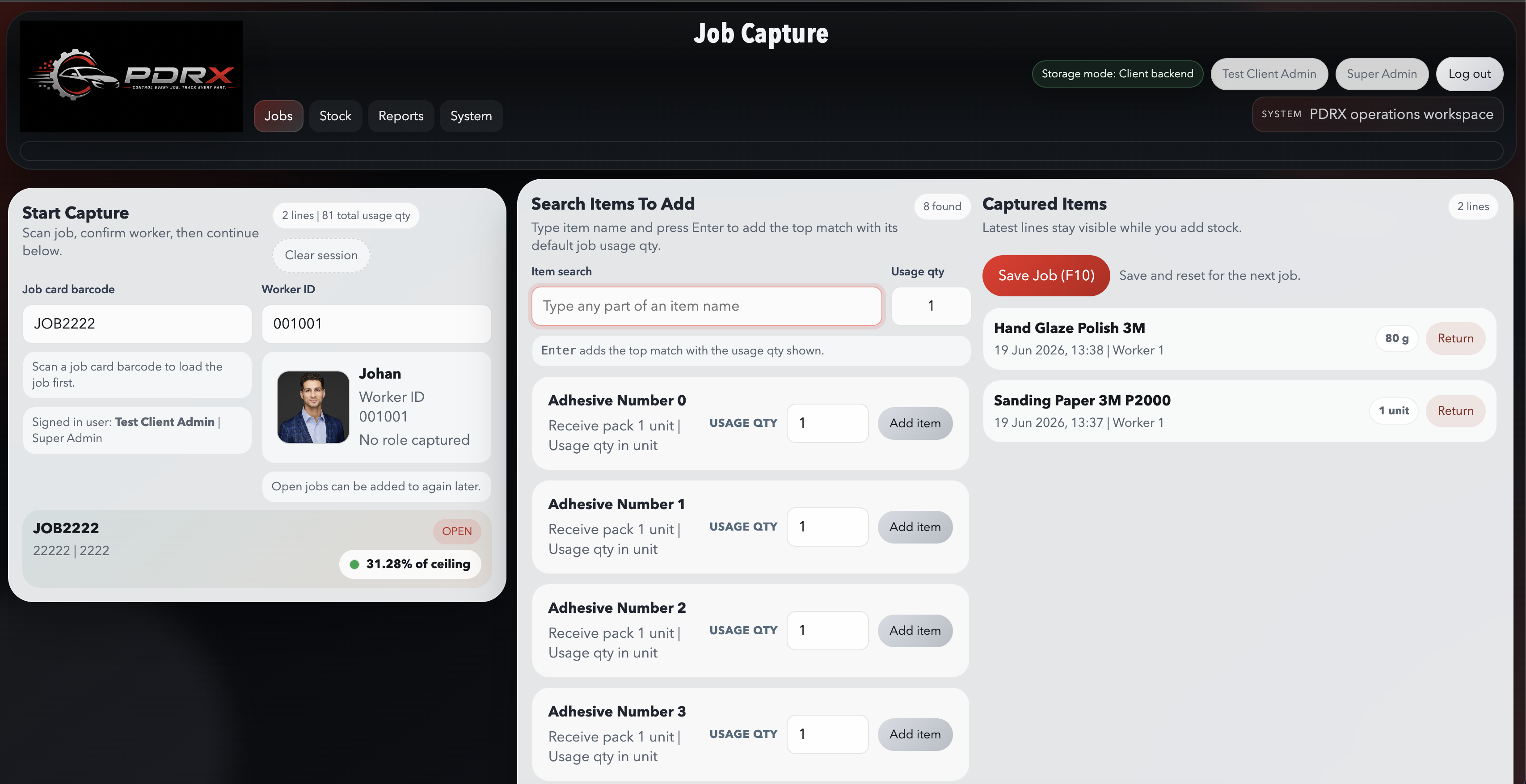
Scan the job and worker, then add the stock used while the work happens.
Replenish low stock and receive supplier deliveries against the order.
Review stock movement, job cost, worker activity, and live ceiling exposure.
Built for fast capture
The capture screen keeps the job, worker, item search, usage quantity, and recent lines visible at the same time. Saving waits for database confirmation before the screen is cleared.
Current functionality
Maintain stock specifications, costs, pack quantities, preferred suppliers, and movement history.
Create or sync jobs, issue materials to work, return unused stock, and close completed jobs.
Create purchase orders, email supplier PDFs, receive partial or full deliveries, and record invoices.
Count physical stock, compare expected quantities, and post traceable adjustment movements.
Filter workshop, item, movement, job-costing, and worker activity reports by practical date ranges.
Print or email branded purchase orders and reports as PDF documents from the online system.
Where PDRX fits
If your team issues consumables, materials, or parts to work in progress, PDRX can make that usage visible and cost accountable.
 01
01
Repair
Control paint-shop consumables, clips, tapes, abrasives, parts, and job ceiling exposure.
 02
02
Fitment
Track accessories, mounting hardware, wiring consumables, and technician usage per fitment job.
 03
03
Projects
Issue materials and consumables to sites or projects and compare actual usage with planned cost.
Optional job sync
The PDRX Windows Bridge can read compatible open-job data from a client’s local TMS Teamwork environment and push it securely to the hosted PDRX tenant. The bridge then keeps the online job list current without manual re-entry.
Visit TMS TeamworkStraightforward pricing
PDRX SYSTEM
Monthly billing. Cancel or change the plan by arrangement.
OPTIONAL PDRX ADD-ON
Added to the monthly PDRX System subscription.
PDRX + TMS Job Sync: N$1,000 per month.
Includes the PDRX Windows Bridge connection for compatible TMS Teamwork open-job data and scheduled syncing into the hosted client portal.
Prices are shown in Namibian dollars. Annual billing includes one month free. TMS Job Sync is an optional add-on charged in addition to the selected PDRX System plan. TMS Teamwork software and licensing are separate.
Coming next
ROADMAPThe next major PDRX module will extend the operational trail into a complete commercial workflow.
Build and send a customer quote using controlled items, labour, and pricing.
Convert the accepted quote into an active job without capturing the work again.
Turn completed work and actual usage into the final customer invoice.
Questions before you start
No. Each client receives a secure hosted PDRX portal. Only the optional TMS Bridge runs on a local Windows PC.
Yes. Jobs can be created and managed directly in PDRX. TMS job sync is an optional add-on.
Yes. PDRX supports role-based users and confirms database saves before completing operational actions.
Your application is reviewed by PDRX. We confirm the client details and subdomain before provisioning the trial portal.
Ready to see your stock clearly?
Trial application
We review each application before creating the client portal. You will receive a response at the email address entered below.